Simple Gauge
- Paul Ogle (Unlicensed)
- Mark Fenimore (Unlicensed)
Owned by Paul Ogle (Unlicensed)
Last updated: Nov 06, 2019 by Mark Fenimore (Unlicensed)
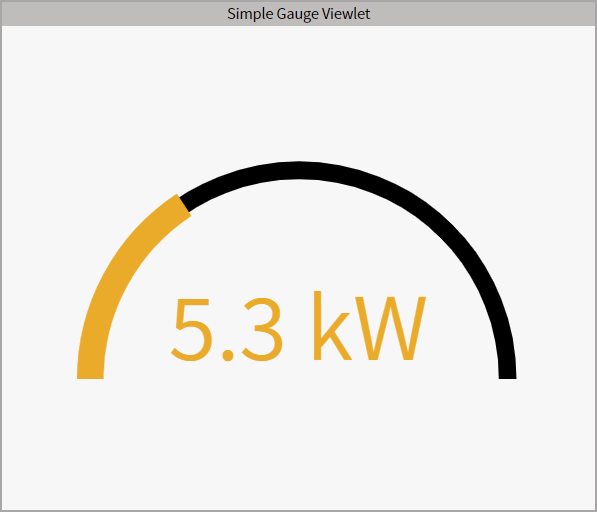
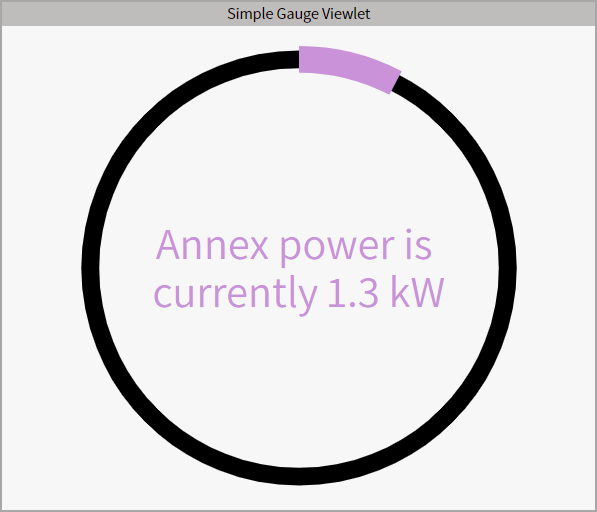
The Simple Gauge provides a circle or semi-circle display to monitor the real-time value of any variable in the network.
Configuration
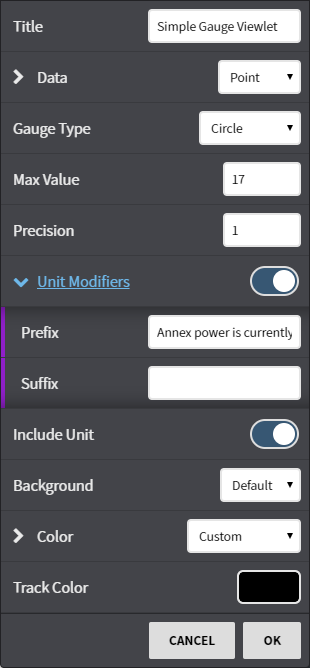
Configuration Options:
- Title: Set a custom viewlet title.
- Data: Select from available trends using either the Picker or Query mode.
- Gauge Type: Select Circle or Semi-Circle
- Max Value: Select the maximum value that your data could reach.
- Precision: Select how many digits past the decimal that are displayed.
- Unit Modifiers: Add a word, number, or symbol in front of or after the value.
- Include Unit: Toggle unit facets on or off. A
- Background: Set a custom or context color.
- Color: Set the color of the fill area in the gauge.
- Track Color: set the off (non fill) color of the gauge.
, multiple selections available,