Liquid Gauge
- Paul Ogle (Unlicensed)
- Mark Fenimore (Unlicensed)
Owned by Paul Ogle (Unlicensed)
Last updated: Nov 06, 2019 by Mark Fenimore (Unlicensed)
The Liquid Gauge Viewlet displays real-time point or trend data as animated liquid in a circular container.
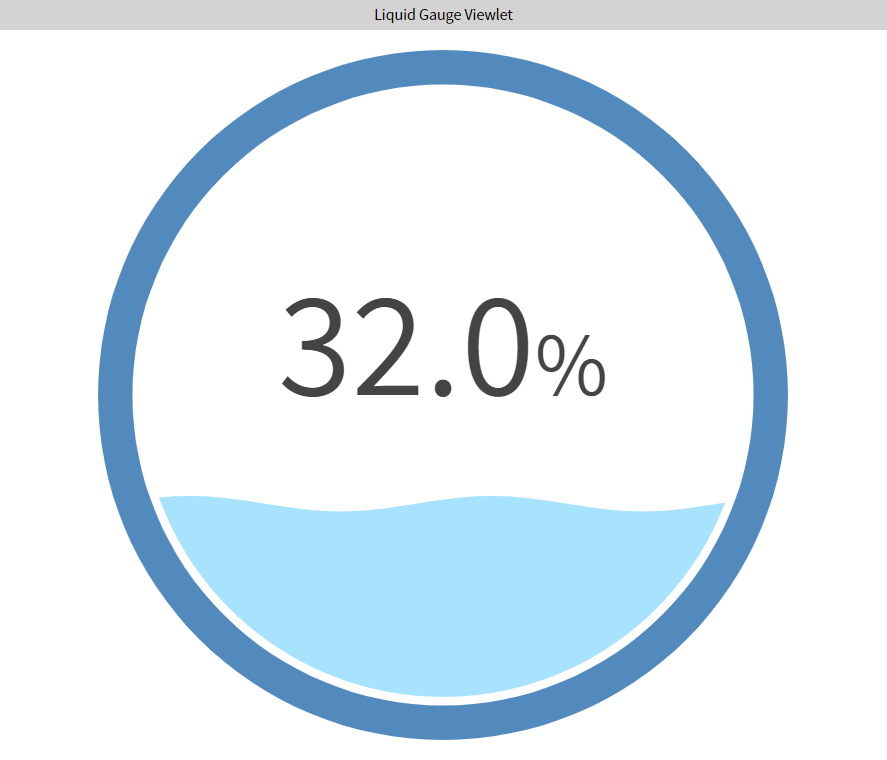
Configuration
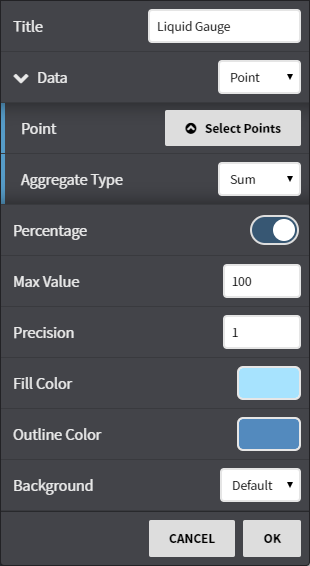
Configuration Options
Title: Set a custom viewlet title.
Data: Select points or trends.
- Percentage: Choose to display your data in either a percentage of the whole, or true value.
- Max Value: Depending on how large the number is, you can elect to 'calibrate' the gauge so the liquid gauge shows up in a reasonable range.
- Precision: Set the precision of the value (number of digits after the decimal).
- Fill Color: Select the color of the water inside the gauge.
- Outline Color: Select the color of the gauge outline.
- Background: Select a background color.
, multiple selections available,